In development · Free for now · No account
Hear it together.
One shared room, one shared timeline. Everyone listens on their own phone and their own headphones, whether they’re on the same Wi-Fi or not.
- iPhone
- iPad
- Android
- Browser listener
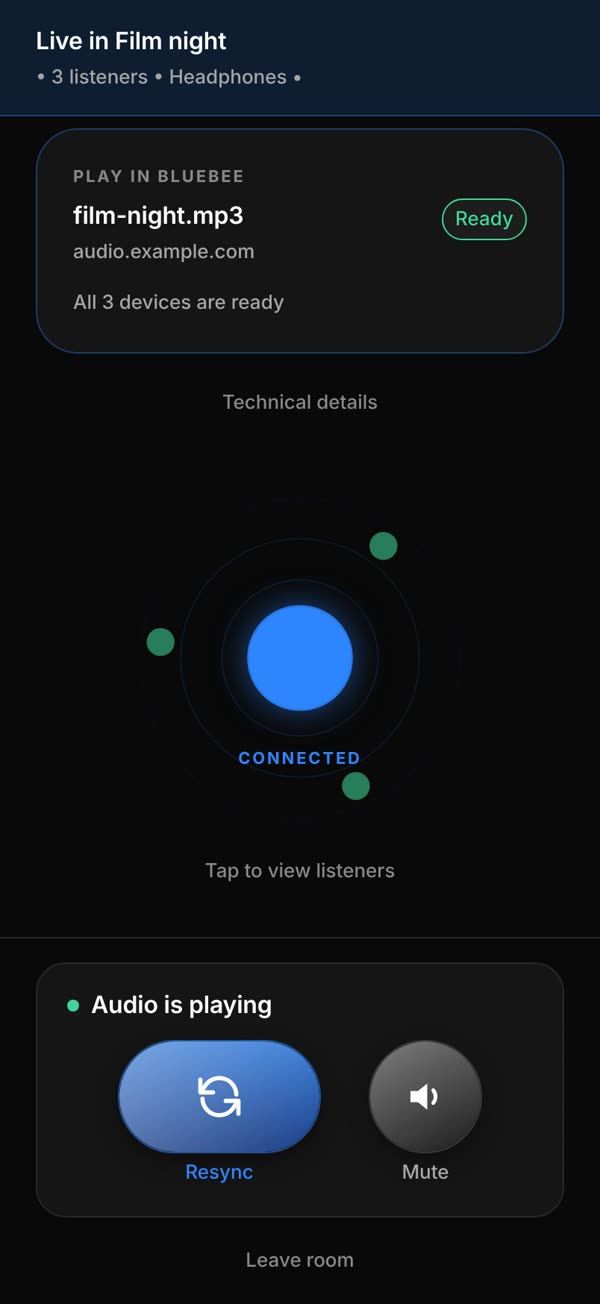
Listening together, without sharing a speaker.
01
Film night, quietly
Everyone in sync on their own headphones, so nobody else in the house has to hear it.
02
Different networks, same room
Join over Wi-Fi or mobile data. The room keeps one shared clock through BlueBee’s relay.
03
Whatever device they have
iPhone, iPad and Android in the same room, with a browser listener when someone hasn’t got the app.
How it works
Host it. Share the code. Everyone’s in.
Step 01–03 · Host
Start a room in three taps.
- Pick the audio. Share what’s playing on your phone with the system’s permission, paste a direct audio link, or use the built-in test audio.
- Name the room and go live. One tap starts the room and the shared audio.
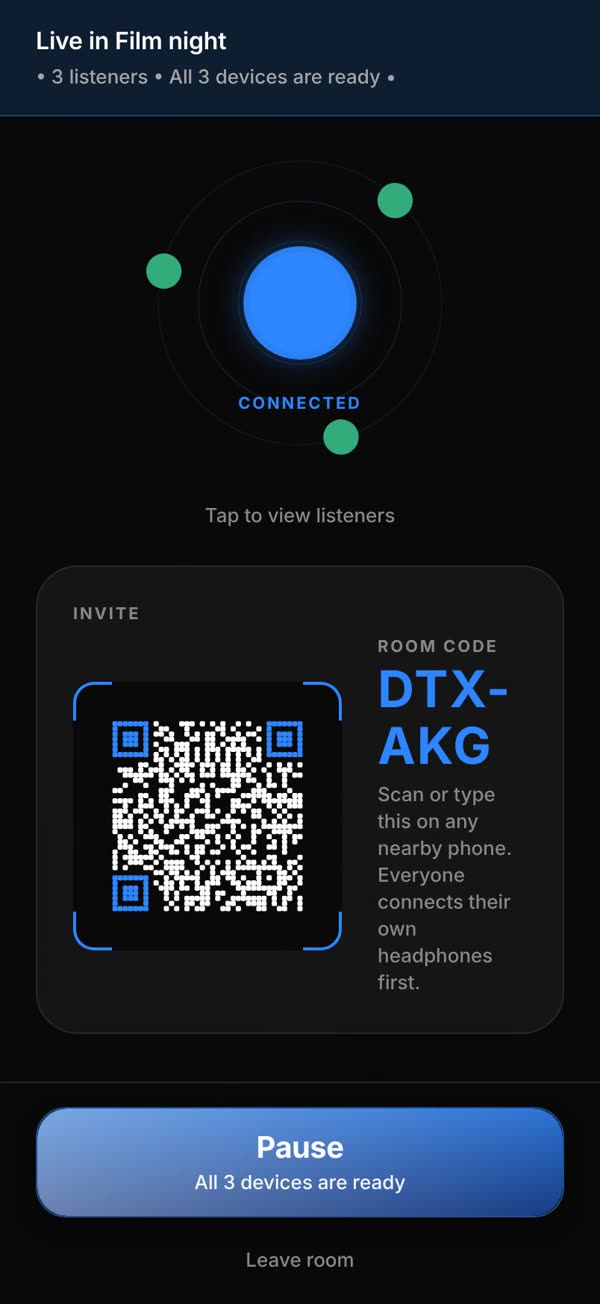
- Share the code. Six characters, or a QR code your friends can scan.
Step 04–06 · Join
Headphones on, code in.
- Connect your own headphones or speaker the normal way.
- Add your name and output in Your setup, then type the room code or scan the QR.
- Tap once to enable audio. You’re on the room’s timeline with everyone else.
In the room
Stay together, or step out.
- Resync snaps you back onto the room’s timeline after an interruption.
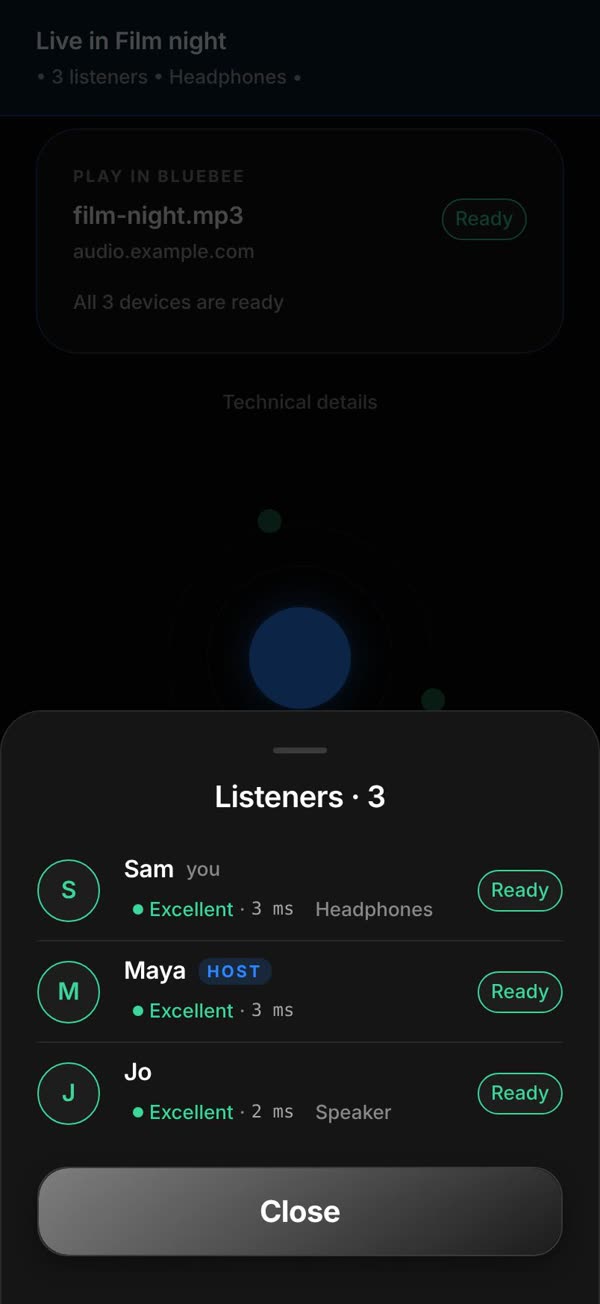
- Tap to view listeners to see every device, its connection and whether it’s ready.
- Mute or Leave room any time. Your volume stays yours.
Fine-tune
Every output is a little different.
- Bluetooth headphones and speakers add their own delay.
- Calibrate lets you name an output and nudge its timing, then saves it for that output.
- Calibration is experimental and set by hand. BlueBee doesn’t measure it automatically yet.
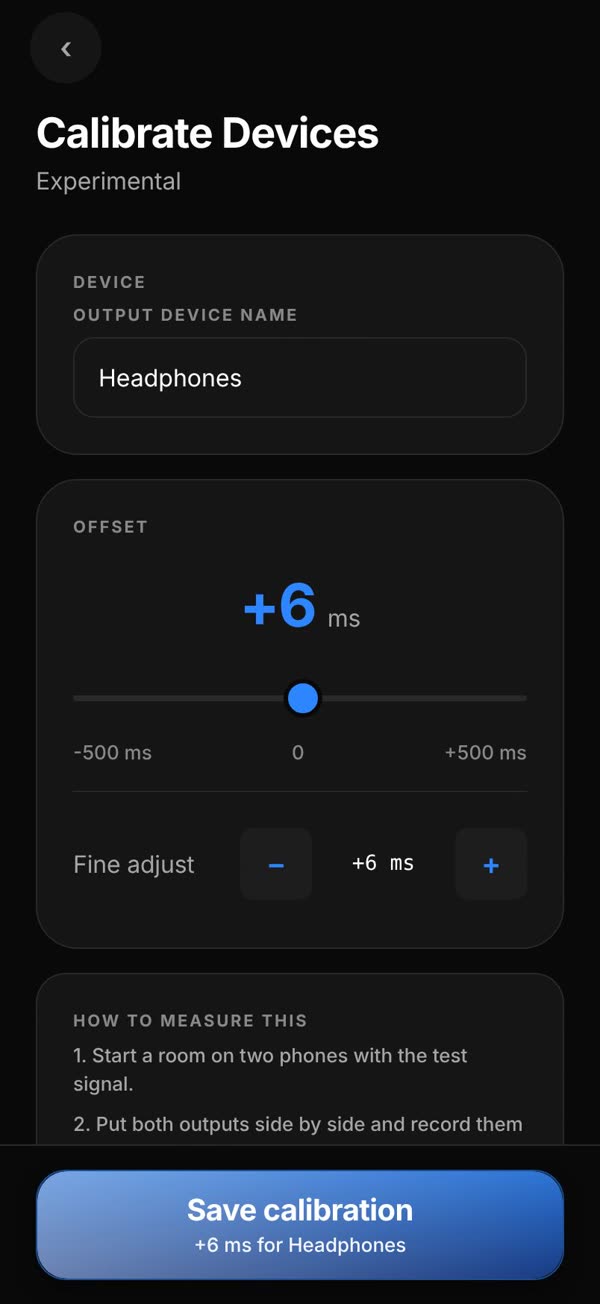
Films use real screens from BlueBee 0.1.0’s browser build: three demo devices in one room on BlueBee’s own relay, playing a demo audio link. In the iPhone and Android apps you can also share audio playing on your device.
The whole thing in 40 seconds.
What it does
Built for listening together.
- 01
Create or join a private listening room with a room code or QR invite.
- 02
Share permitted device audio with native iPhone, iPad and Android listeners, with foreground web listening as a fallback.
- 03
Use a direct audio link or built-in test audio as a controlled source.
- 04
Keep one shared room timeline while each listener uses their own headphones or speaker.
- 05
Adjust and save timing for the active output route, with an explicit catch-up control after interruptions.
Good to know
Honest limits.
BlueBee is still being tested. These are the boundaries today.
- The mobile release candidate is being tested; no download or store approval is announced here.
- It does not pair one phone directly with many Bluetooth headsets.
- Protected media may block capture; BlueBee does not bypass that protection.
- Network conditions and output hardware affect the result. No universal distance or acoustic synchronisation figure is claimed.
- Live audio currently uses uncompressed PCM and can consume roughly 0.7–0.95 GB per listener-hour. The current room default is eight participants, including the host.
- The source app may play locally before captured audio reaches listeners. Host mute behaviour depends on the source and operating system.
- Mac distribution, Android TV and venue features are outside this release.
Listen safely. Use a comfortable listening level and share the room code only with intended listeners. Each listener controls their own output and volume. Share only audio you are permitted to share.
Questions
Is BlueBee available yet?
Not yet. BlueBee is in development and being tested on iPhone, iPad and Android, with a browser listener as a fallback. No download or store approval is announced here.
Does it connect one phone to lots of Bluetooth headphones?
No. Everyone uses their own phone or tablet with their own headphones or speaker. BlueBee keeps all of those devices on one shared room timeline.
What can I share?
On iPhone and Android you can share audio playing on your device, with the system’s permission. You can also paste a direct audio link or use the built-in test audio. Protected services may block capture, and BlueBee doesn’t get around that.
Do we need to be on the same Wi-Fi?
No. Everyone connects through BlueBee’s relay, so a room can mix different Wi-Fi networks and mobile data.
How many people can join?
The current default is eight participants, including the host.
How much data does it use?
A lot, for now. Live audio is sent uncompressed and can use roughly 0.7 to 0.95 GB per listener per hour. Use Wi-Fi where you can.
What if my audio drifts?
Tap Resync to snap back onto the room’s timeline. If your headphones or speaker consistently play late, Calibrate lets you save a timing adjustment for that output. Calibration is experimental and set by hand.
Can I listen in a browser?
Yes, as a fallback. Tap once to enable audio and keep the page in front. On iPhone, the BlueBee app is the supported way to listen.
Does it cost anything?
BlueBee is free for now, with no account, in-app purchases, subscriptions or ads in the current app.
Product information
- Status
- In development
- Platform
- iPhone and iPad implementation; Android native implementation; Foreground browser listener implementation
- Pricing
- Free for now. No account, in-app purchases, subscriptions or ads in the current app.
- Store
- No public store link
- Last reviewed
- 7 September 2026
BlueBee is a working product name. Third-party media, device and service names belong to their respective owners. BlueBee is designed and built by Netro Labs.