In development for Mac · Independent
Your lights, in time with your Mac.
LumaRelay turns what’s on your screen, the music you’re playing or the sound in the room into colour on your Philips Hue lights. No virtual audio driver, nothing between you and your speakers.
Light sync without the side effects.
No audio driver
It never installs a virtual audio device or routes your sound, so there’s nothing to make your Mac’s audio crackle.
Local by design
It talks straight to your Hue Bridge on your network. Screen and audio are analysed on your Mac.
Control and sync in one
Rooms, zones, single lights and your saved scenes sit next to screen, music and microphone sync.
How it works
Pair once. Pick what your lights follow.
1Pair and control
Your whole home, from the menu bar to the room.
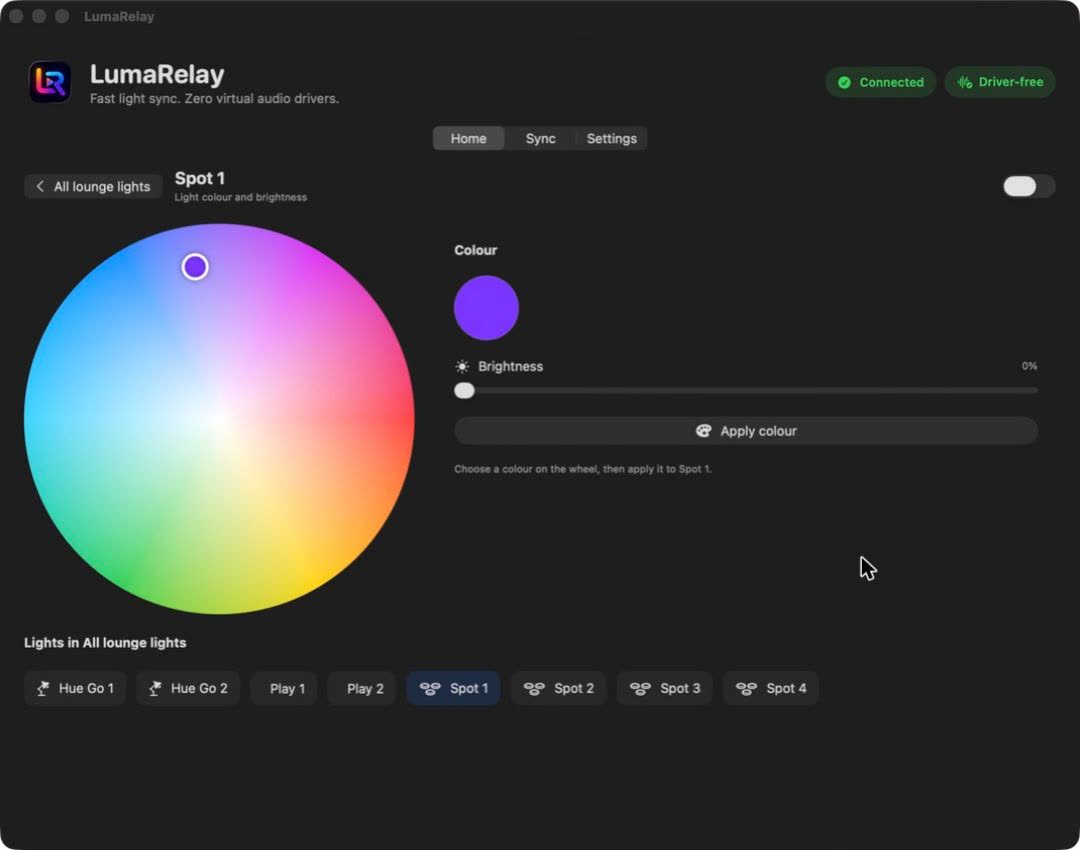
- Pair once. LumaRelay finds your Bridge, you press its button, and the key is kept in your Mac’s Keychain.
- Rooms and zones each get power and brightness, and open to show their lights and saved themes.
- Any light opens to a colour wheel. Choose a colour and apply it.
2Screen sync
Films and games, spilling off the screen.
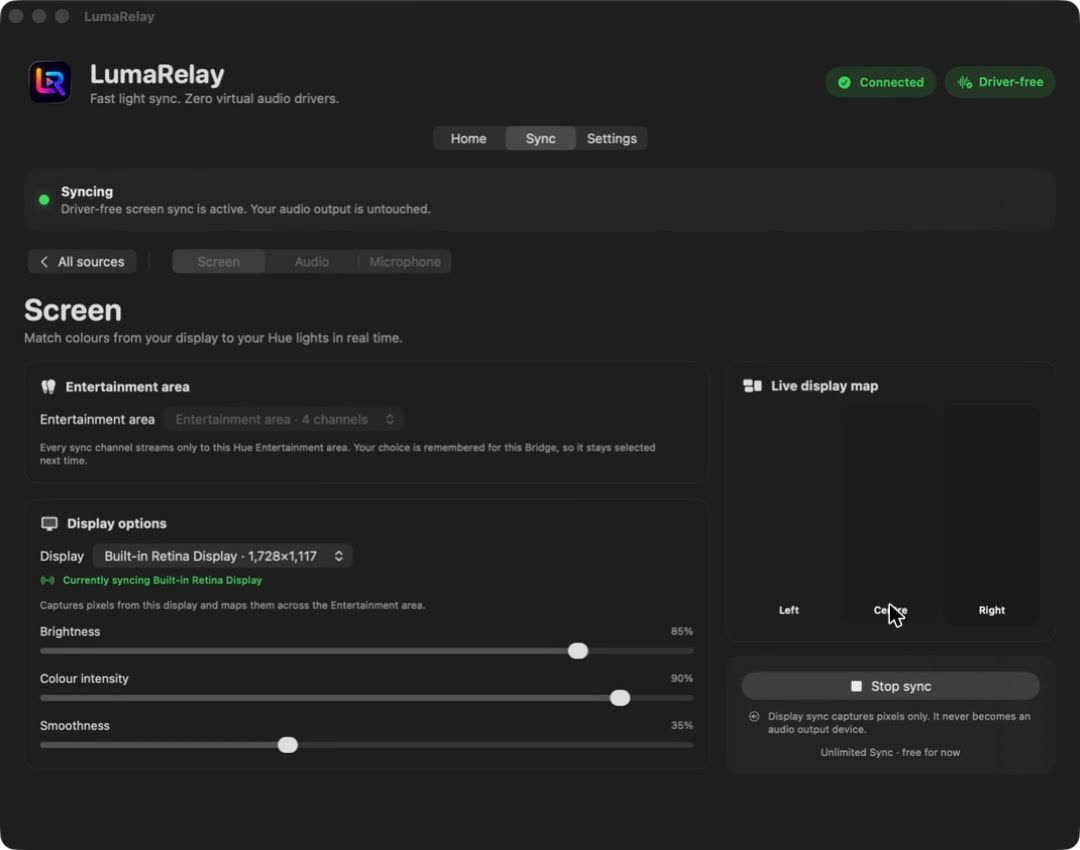
- Choose Screen, the display to follow and your Entertainment area.
- Tune it: brightness, colour intensity and smoothness.
- Start sync. The left, centre and right of the display drive your lights, and a live map shows what they’re getting.
3Music sync
Bass, mids and highs, in colour.
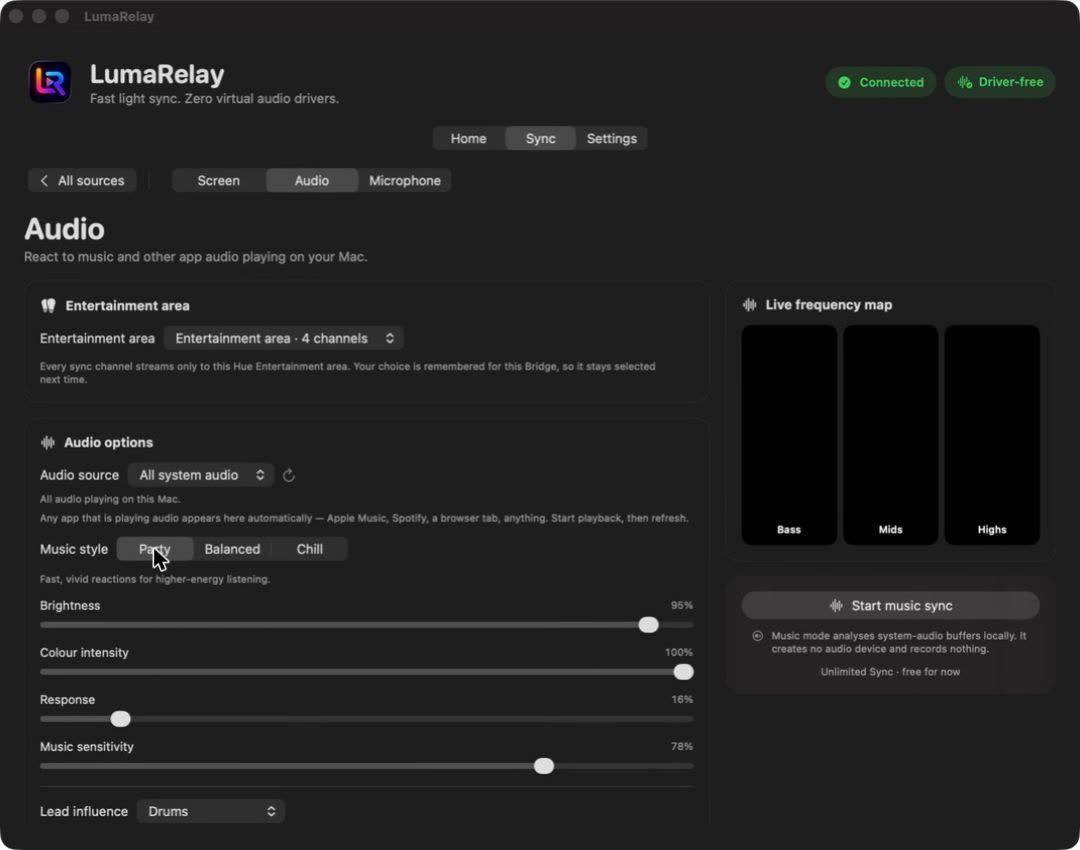
- Any app’s audio: follow everything playing on your Mac, or pick one app.
- Party, Balanced or Chill sets brightness, intensity and how fast the lights react, in one tap.
- Beats rotate the palette. It creates no audio device and records nothing.
4Microphone
Clap, and the room answers.
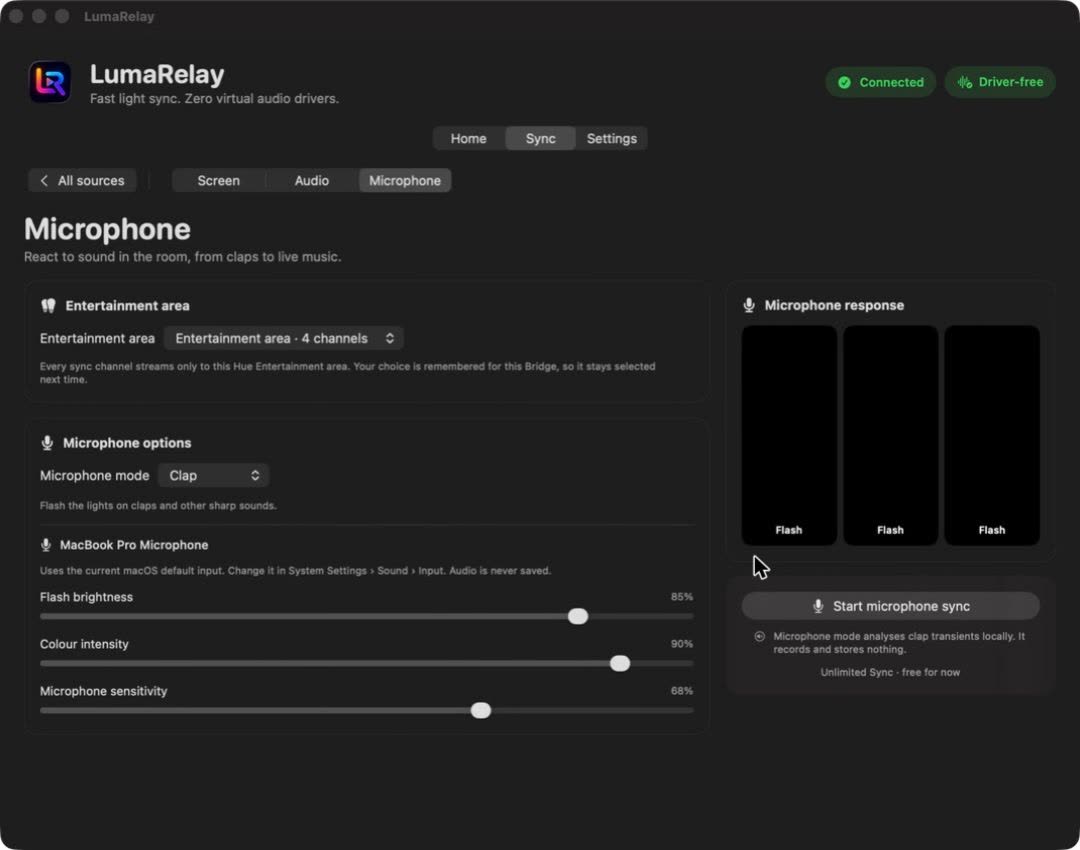
- Clap mode flashes the lights on claps and other sharp sounds.
- Set flash brightness, colour intensity and microphone sensitivity.
- It uses your Mac’s current input. Audio is analysed, never saved.
Films use real screens of LumaRelay’s development build, recorded on 1 November 2026 against a real Hue Bridge. The Bridge’s identifier and network name are blurred.
The whole thing in 35 seconds.
Good to know
What it needs, and its limits.
- A compatible Philips Hue Bridge, lights and configured Entertainment area are required for synchronisation.
- The device and Bridge must normally be on the same local network.
- Compatibility depends on hardware generation, firmware, network conditions and granted permissions.
- LumaRelay is not an official Philips Hue application.
- Display sync requires screen-recording permission; microphone modes require microphone permission.
- Hardware and firmware combinations must be tested before a compatibility claim is published.
- Rapid lighting changes may affect people who are sensitive to flashing or changing light.
Flashing and changing light. Use conservative brightness and effect settings. Stop synchronisation if lighting causes discomfort. LumaRelay does not guarantee compatibility with every light, Bridge, display, television or projector.
Questions
Is this the Philips Hue app?
No. LumaRelay is an independent app. It talks to your own Hue Bridge on your local network. It isn’t made, sponsored or endorsed by Signify or Philips Hue.
Why “driver-free”?
LumaRelay was built because a virtual audio driver used for light sync kept making a Mac’s sound crackle. LumaRelay reads the screen with macOS screen capture and analyses audio in memory. It never installs an audio driver, a helper or anything that needs admin rights, and it never routes or replaces your Mac’s audio output.
What do I need?
A Mac on macOS 15 or later, a Hue Bridge on the same local network, and an Entertainment area set up for the lights you want to sync. Compatibility depends on hardware, firmware and network, and isn’t guaranteed for every setup.
Does it record my screen or my audio?
Screen sync samples colours from a low-resolution capture and audio sync analyses sound in memory. In the app, music and microphone modes say they record and store nothing. This is still subject to final release verification.
Which permissions does it ask for?
Local network access to reach the Bridge, Screen Recording for screen sync, and the microphone only for microphone mode.
Can I use my existing scenes?
Yes. LumaRelay loads the scenes already saved on your Bridge and can apply them to a room or zone.
Is there an Android TV version?
An Android TV companion for picture-to-light sync is in development. It isn’t released.
When is it out, and how much will it cost?
LumaRelay is in development. No release date or price has been announced.
Product information
- Status
- In development
- Platform
- macOS 15 or later; Android TV implementation under development
- Pricing
- Not announced
- Store
- No public store link
- Last reviewed
- 25 July 2026
Philips Hue is a third-party trademark. LumaRelay is independent and is not affiliated with, sponsored by or endorsed by Signify or Philips Hue. LumaRelay is designed and built by Netro Labs.